
Cloud (SaaS)
Sign up and start tracking. Nothing to install or maintain.

In testing · SaaS Q4 2026 · Self-hosted Q1 2027
BunnyTrack records your work with one click, even offline, so you always know exactly what to bill: billable hours, amounts per client and invoice-ready reports. Use it in the cloud or host it yourself.
Sign up and start tracking. Nothing to install or maintain.
Run BunnyTrack on your own server and keep every entry in-house.
BunnyTrack is in testing now. Tell us how you work and try it before launch.
Time tracking
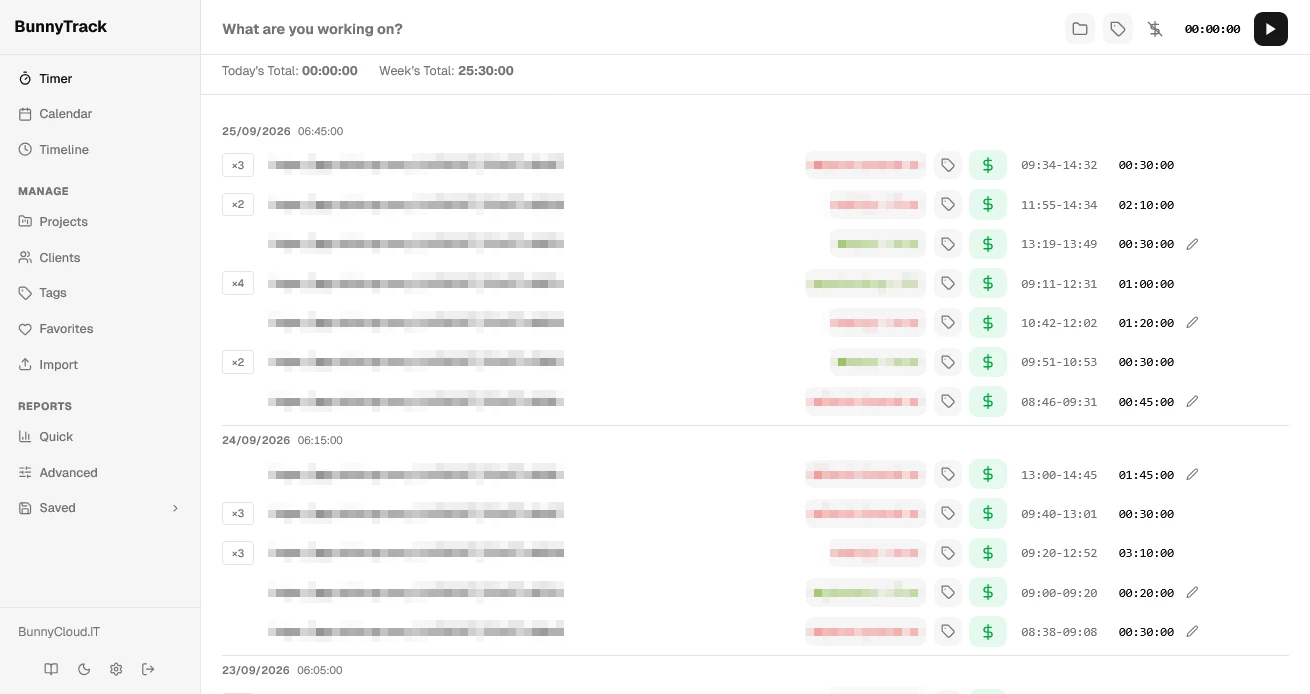
Track as you work, or add time afterwards. Your entries are always one click away.
Start and stop tracking with one click.
Record time for work you did earlier.
Your running timer stays in a sticky header on every page.
View and edit every entry, organized by date.
Keep tracking without internet. BunnyTrack syncs when you're back online.
See and collaborate on your team members' time entries.
Projects & clients
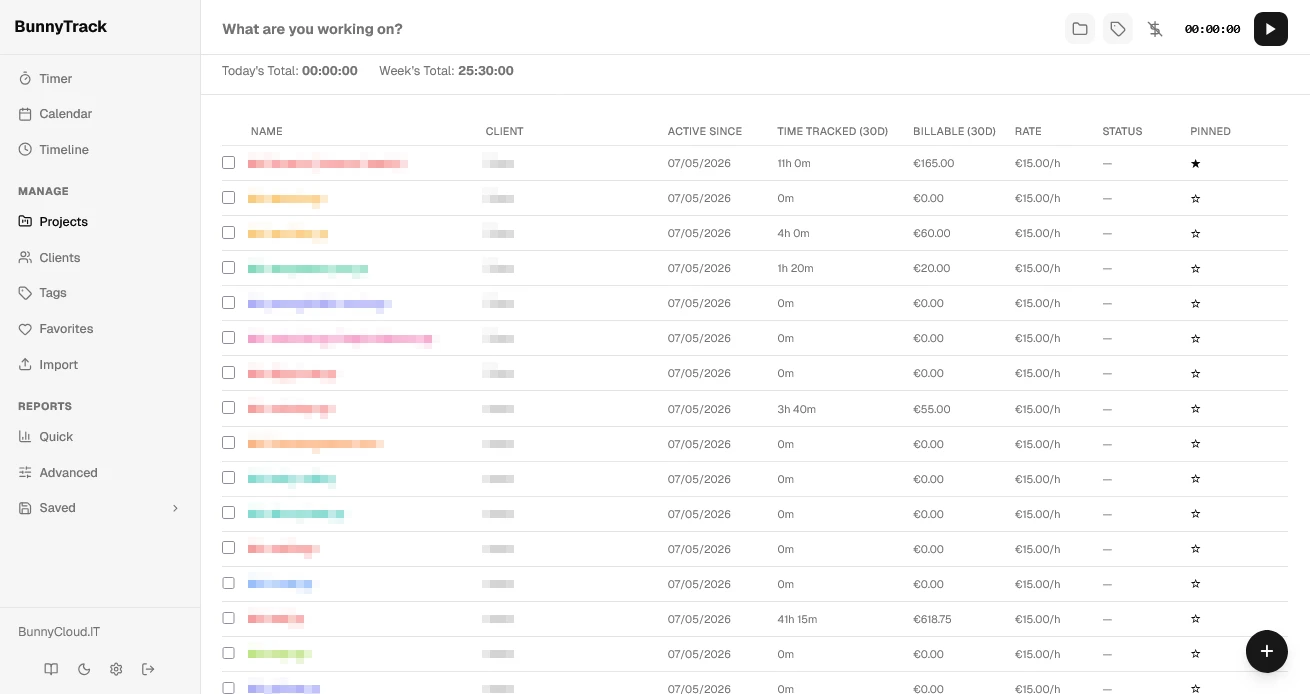
Your hourly rates, per client, per project or per person.
Break them into tasks and give each project its own color.
Client details and billing rates in one place.
Different rates per project, client or team member. Fixed-price projects are supported too.
Pin the projects and clients you use most.
Reports & analytics
From a quick summary to profitability per project, ready to share or invoice.
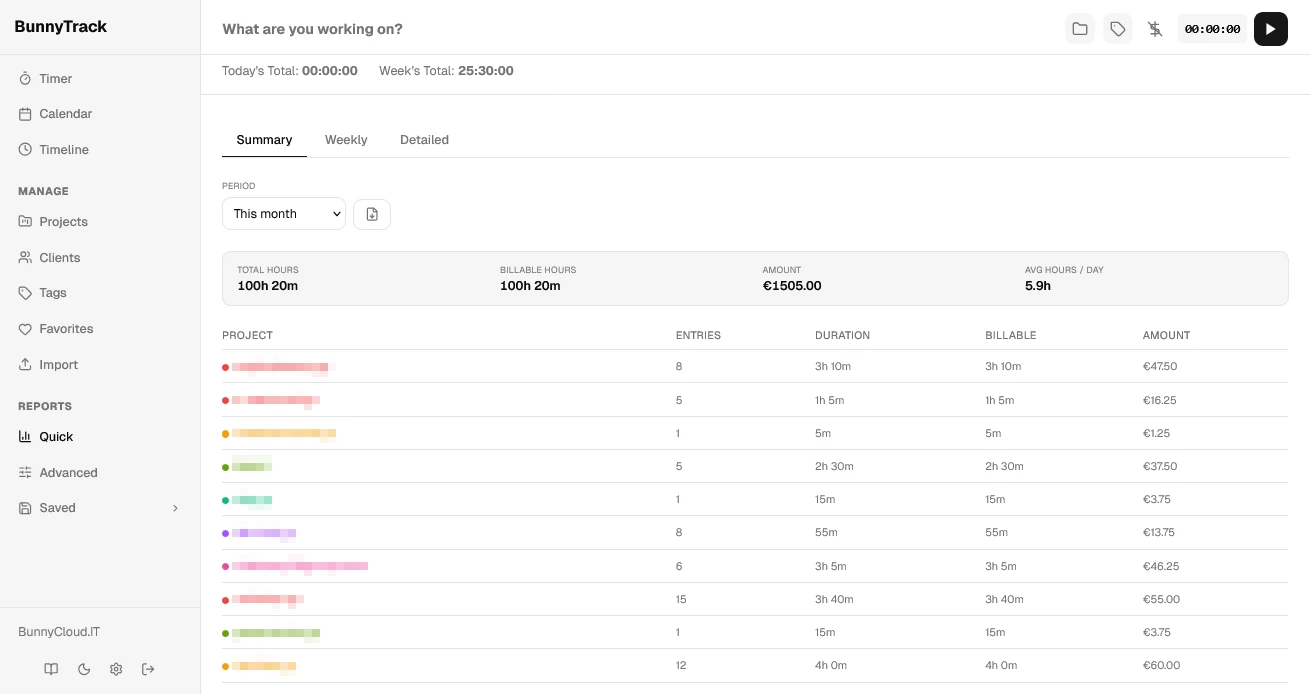
A quick overview per project, a week-by-week breakdown, or every entry with custom grouping.
Compare revenue against costs and keep an eye on your margins.
Filter by project, client, tag, date, team member and more.
Save report templates, regenerate them anytime, or have them emailed automatically.
Send reports to clients or your team through secure links.
Download professional reports for invoicing and analysis.
Billing
Set rates per project, client or team member.
Mark each entry billable and see the amount it adds up to.
Round entries for accurate billing.
Repeating projects are created on a schedule.
For fixed-price projects, set an hour budget up front.
See hours used against the budget of each fixed-price project.
Organized & secure
Custom tags for your entries, filtering by tag in reports and views, and favorite tags for quick access.
Email and password login, profile management, and a list of active sessions where you can revoke any device.
Bring your data in with CSV, export all of it as CSV anytime, and back up and restore your settings.
Settings & integrations
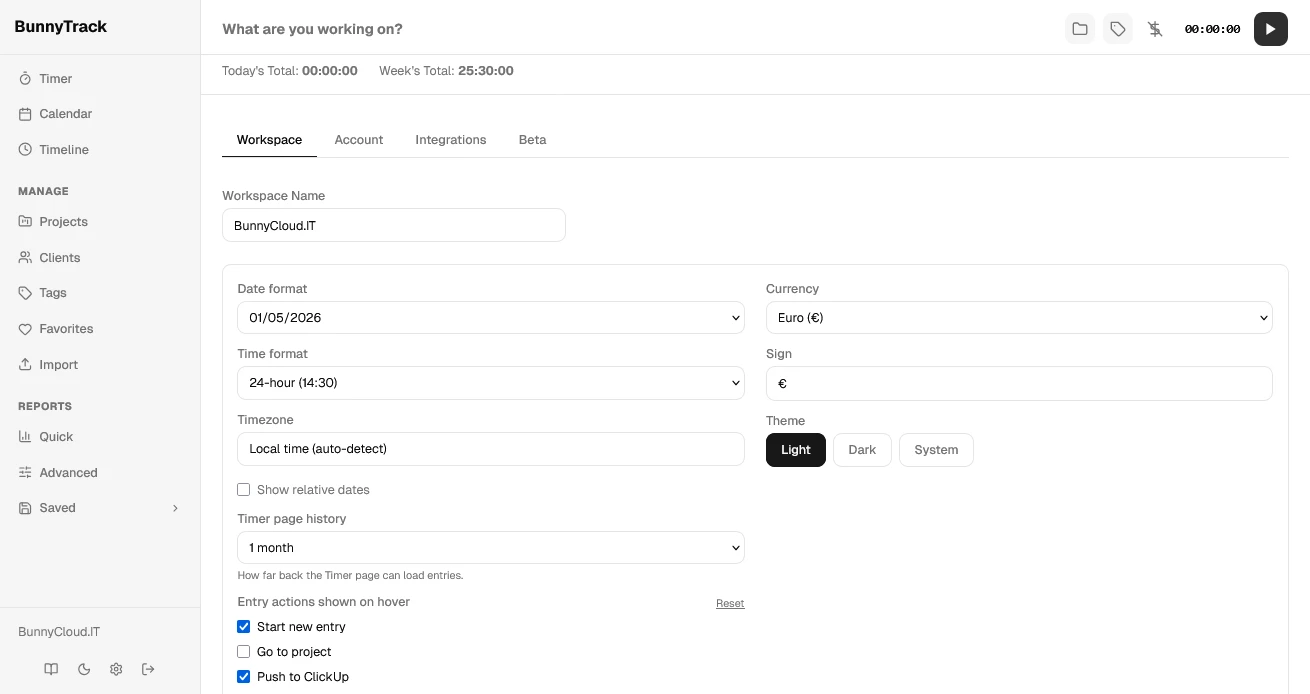
Push time entries straight to your ClickUp projects.
Accurate tracking in your timezone, with your date, time and currency formats.
Or let BunnyTrack follow your system preference.
BunnyTrack is in testing now. The cloud (SaaS) version is expected in Q4 2026 and the self-hosted version in Q1 2027.
The cloud version needs no setup or maintenance. The self-hosted version runs on your own server, so your data never leaves it.
Keep tracking. BunnyTrack records your time offline and syncs it when you're back online.
Yes. Import your data from CSV, and export everything as CSV whenever you want.
Yes. Team members can share and collaborate on time entries, and you can set different billing rates per team member.
Contact us and ask for early access to the testing version.
Join the testing phase and help shape the product.