
Manifest-driven
Caddy, PHP and MariaDB are configured from a single bunnystack.yaml. Everything is generated, nothing is hand-edited.

Free · Native Windows app · v0.9.0
BunnyStack is a fast, self-contained local PHP development environment for Windows: Caddy, PHP and MariaDB, managed from one declarative bunnystack.yaml file. A modern alternative to XAMPP and Laragon.
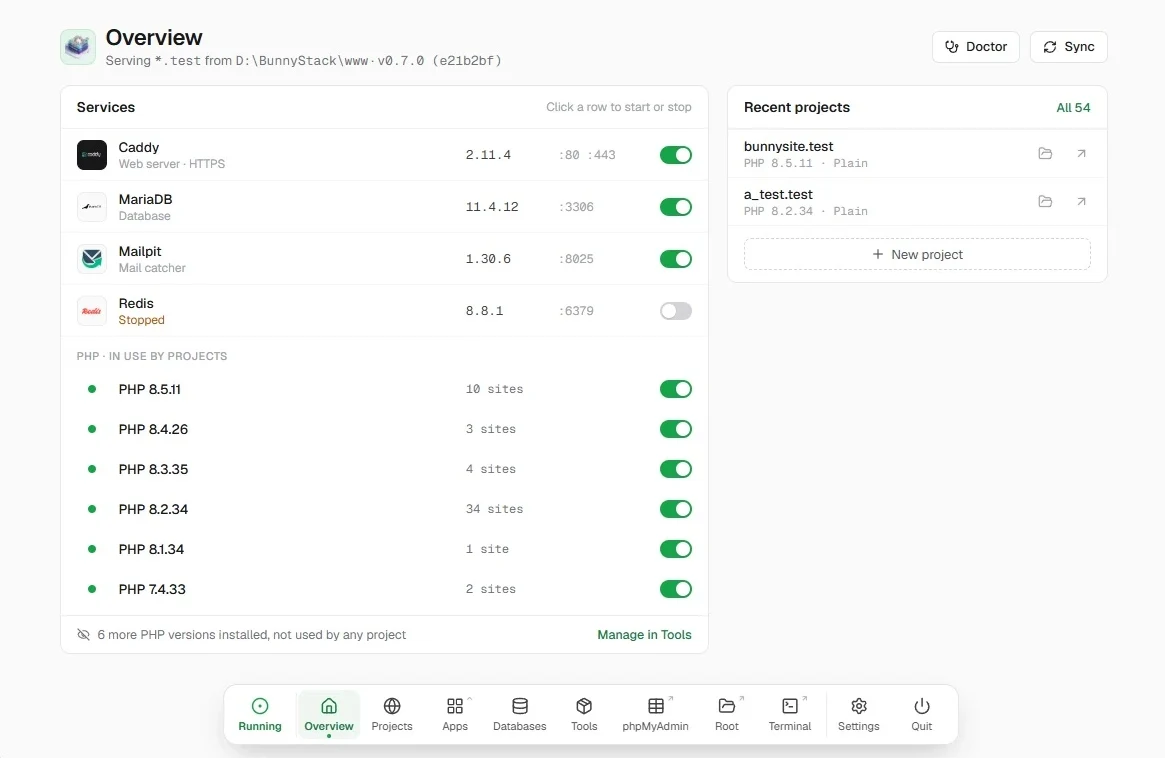
Everything you need, downloaded from inside the app
Why BunnyStack
One manifest, nothing hand-edited. Describe your stack once. BunnyStack generates every config file from it and keeps them in sync.
Caddy, PHP and MariaDB are configured from a single bunnystack.yaml. Everything is generated, nothing is hand-edited.
A single static binary for Windows. Download Caddy, MariaDB, Mailpit, PHP and even WordPress from within the app.
Copy the folder to a portable drive and you are ready to work on any computer.
Control panel
Manage projects, services, databases and tools from a native control panel, a floating dock or the system tray.
A quick status of all services at a glance.
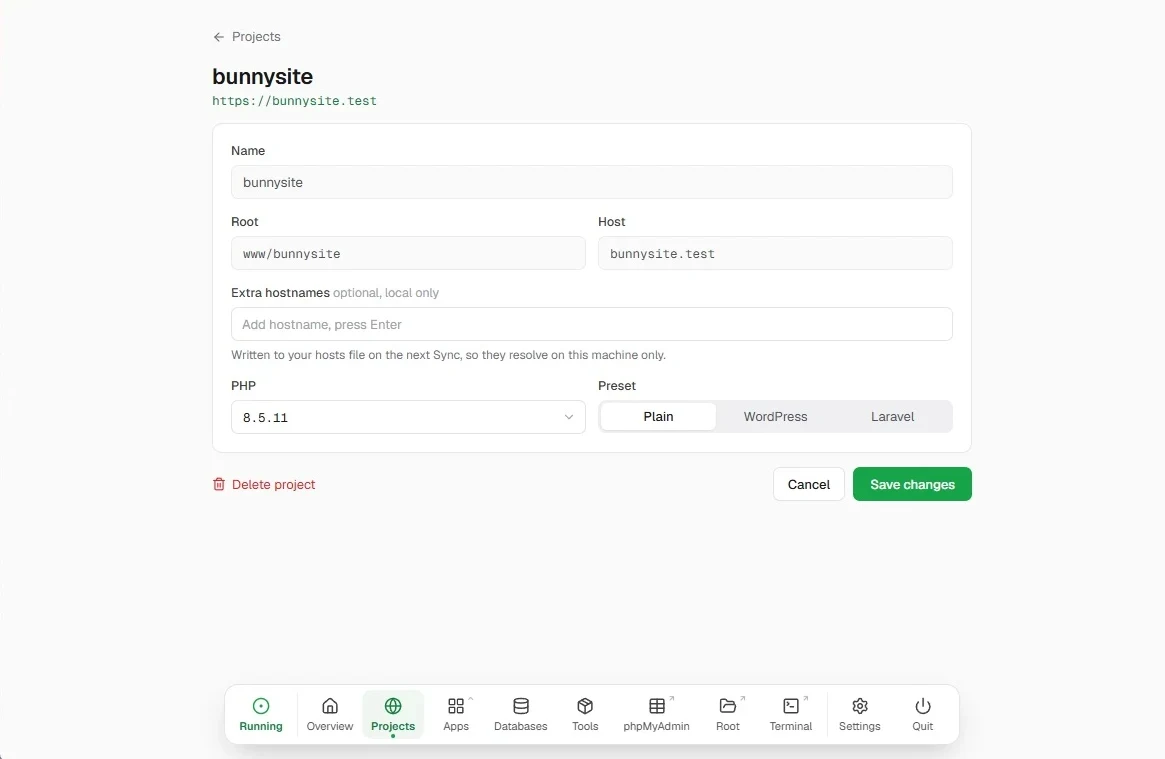
Add, edit and remove local sites with custom hostnames.
PHP workers, per-version php.ini, dock layout, WordPress rules, and the changelog.
Live output from every service in one place.
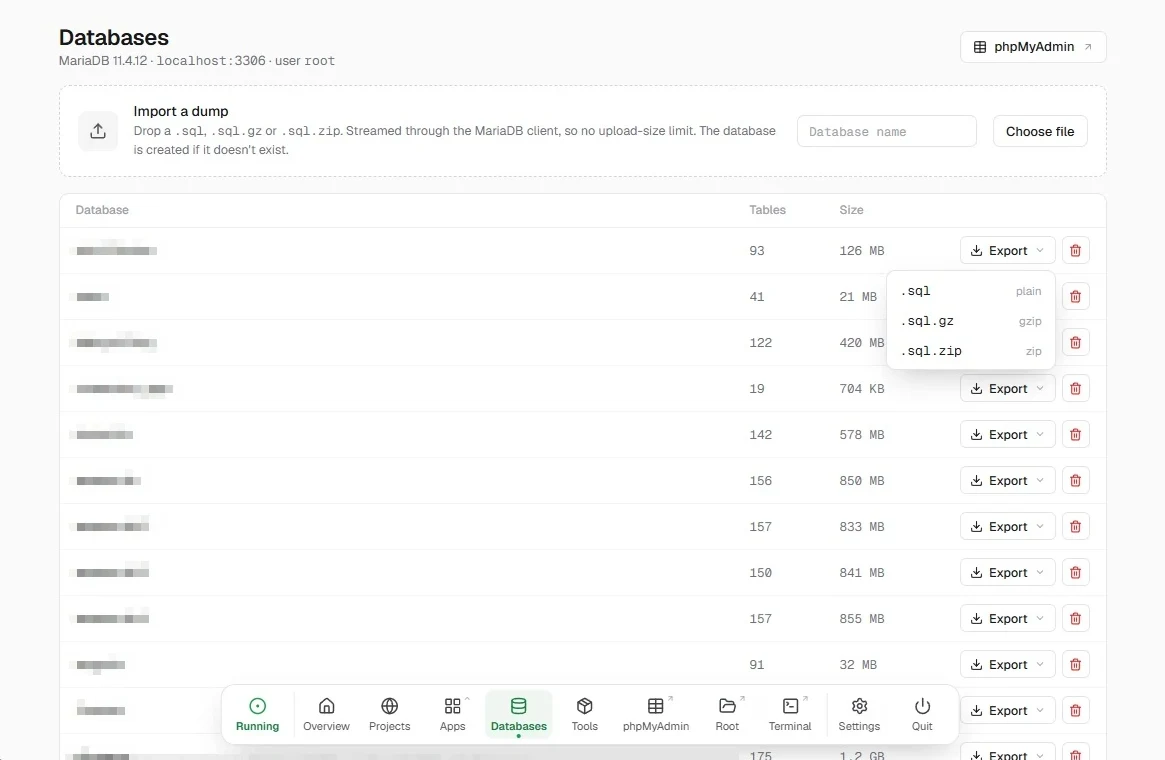
A phpMyAdmin dashboard plus native database export.
Install and manage Redis, Node.js, Python, Composer, WP-CLI, Mailpit and cloudflared.
A fixed toolbar with a project launcher and service controls. It remembers its layout.
Quick access to your stack from the tray icon menu.
Real-time feedback while syncing, installing and updating.
WordPress and Laravel
Work on a copy of a live site without downloading gigabytes of uploads, and share it with clients in seconds.
Reverse-proxies production's /wp-content/uploads/, so images show locally without copying them.
Turn on WP Rocket caching, Imagify WebP or your own presets for each project.
WordPress mail goes to Mailpit, with a fallback to disk, so nothing reaches real inboxes.
Install it from the Tools page and it's ready in BunnyStack's terminal, with PHP and Composer.
Cloudflare tunnels give you temporary public URLs for client testing.
Pick the WordPress or Laravel preset and BunnyStack downloads it, creates the database and sets up the site.
Developer workflow
Every PHP version from 5.6 to 8.5 can run at the same time, each with its own resources. Pick one per project and move on.
Several PHP versions run side by side, each with its own workers.
mysite.test, staging.local or anything else you like.
Install the local certificate authority from the settings and every hostname gets fully trusted HTTPS.
Turn debugging on or off for each PHP version (experimental).
Performance & reliability
Enabled by default across all PHP versions.
Recommendations based on your CPU and RAM.
Buffer pool sizing, I/O tuning and table cache.
Sync wipes and regenerates every config from the manifest, which fixes crashes cleanly.
Take your whole environment with you on a USB drive.
No installers, no services to register, no Docker.
Get started
No installer and no admin setup beyond one hosts-file prompt.
Extract the zip to any folder, for example D:\BunnyStack, and run bunnystack.exe. Everything it downloads stays in that folder.
On the Tools page, install Caddy, MariaDB and the PHP versions you need. Add Mailpit, Redis or phpMyAdmin if you want them.
Install the local certificate authority in Settings, click Start, and create your first project. Full guide.
Compare
A free database, mail catching and Redis, several PHP versions at once, and nothing to install. See the side-by-side comparison.
Everything is described in one bunnystack.yaml manifest and every config file is generated from it. You get several PHP versions running side by side, trusted SSL, WordPress tooling and one-click recovery, in a single native app. See the full comparison.
Yes. BunnyStack is free to download and use, and so is everything it installs: Caddy, PHP, MariaDB, Mailpit, Redis and the other tools.
No. BunnyStack is a single static Windows binary. It downloads Caddy, PHP, MariaDB and the other tools it needs from within the app.
Yes. Every PHP version from 5.6 to 8.5 can run at the same time with its own resources, and each project picks the one it needs.
Yes. Pick the Laravel preset when you create a project and turn on Install it now. BunnyStack downloads Laravel and creates the database for you.
Install the local certificate authority from the app settings. From then on every custom hostname gets a fully trusted certificate. The user guide shows where.
Run a sync. It wipes and regenerates every config from the manifest, which fixes crashed or broken services cleanly. See troubleshooting for common fixes.
Yes. Copy the BunnyStack folder to a portable drive and you are ready to work on any Windows computer.
Caddy, PHP and MariaDB, ready to go on Windows. Free, with no Docker and no WSL.